Tournament organizers can invite players to join a tournament either by sending email invitations directly from the tournament or by sharing a tournament invitation link.
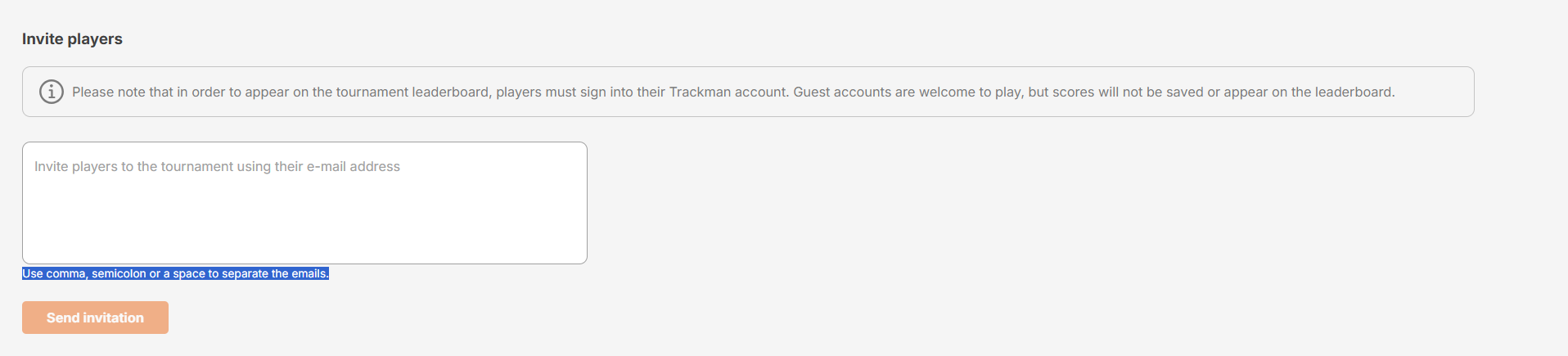
Players must sign in to their Trackman account for scores to appear on the tournament leaderboard. Guest accounts can participate, but their scores will not be saved or displayed on the leaderboard.
Invite Players by Email
- Navigate to the Tournaments tab.
- Select the tournament you want to manage.
- Open the Players tab.
- In the Invite players to the tournament using their e-mail address field, enter one or more email addresses.
- When inviting multiple players, separate email addresses using:
- A comma (,)
- A semicolon (;)
- A space
- Click Send invitation.
- An email invitation will be sent to all entered players.
Invite Players via Link
If you prefer, you can invite players by sharing a direct tournament link.
- Navigate to the Tournaments tab.
- Select the tournament you want to manage.
- Open the Players tab.
- Under Invite players via link, click Copy link.
- Share the copied link with players through email, messaging apps, social media, or any other communication channel.